What the role covers, working safely with contaminated equipment, electricity, and chemicals, decontamination before service, and using the service manual.
PublishedNailathalaGipatikPepalwal:ReferencesMga SanggunianMga TinubdanReng Reperensya:4Audience: Biomedical equipment technicians working in or for hemodialysis centers · chief technicians, head nurses, and medical directorsRead timeOras ng pagbasaOras sa pagbasaOras ning pamamasa:
This module is study material for biomedical technicians in dialysis. It explains how machines work and why maintenance steps exist; it is not a service manual. Repairs, calibrations, and safety tests are done only by people trained and authorized for that machine model, using the manufacturer’s service manual, approved parts, and calibrated test equipment. Every case is fictional.
Learning objectives
After this module you should be able to
Describe what a biomedical technician in a dialysis center is responsible for, and what belongs to others.
Protect yourself and others from blood, electricity, water, and chemicals while you service equipment.
Take a machine out of use and hand it back in a way that no one can misunderstand.
Explain why a dialysis machine may be serviced only by the manufacturer’s method.
Pre-testBefore you read, answer the 5 self-assessment questions and note your score. After the module, select New set of questions and compare. The difference is what you learned; the questions you still miss are what to reread.
Start here
The big picture, in plain words
In plain wordsThink of a dialysis machine as a carinderia kitchen, a barangay pump station, and a building inspector packed into one cabinet. It mixes a fluid, it moves blood, and it shuts itself down when something is wrong. Your work is to make sure that what the screen says is true and that the shut-down systems still work. You do this for patients you may never meet, so the proof of your work lives in your records.
The picture has a limit. A cook tastes the food, and a building inspector can see a crack with his own eyes. The machine has neither. It knows only what its sensors tell it, and it trusts them completely. A sensor that has drifted, or a protection that has been bypassed by a careless repair, leaves the machine confident and wrong. That is why the people who maintain it matter as much as the machine itself.
Figure 1 · Key terms for this module
Medical deviceEquipment made for diagnosis or treatment, built and maintained under strict rules.
Service manualThe manufacturer’s technical document for maintaining and repairing one machine model.
Out of serviceFormally removed from patient use, with a tag that says so.
Return to serviceThe documented decision that a machine is safe to use again.
Lockout/tagoutLocking and labeling an energy source so that a machine cannot start while you work on it.
DecontaminationCleaning and disinfecting equipment so that it is safe to handle.
Opening case · fictional
Case: A quick look between shifts
It is a Tuesday, a few minutes before the noon shift. The nurse, Ms. Liza Domingo, stops the biomedical technician, Mr. Paolo Garcia, in the corridor. Machine 4 gave two conductivity alarms during the morning session, and she asks him to “take a quick look” before the next patient arrives.
Mr. Garcia opens the rear panel while the machine is still plugged in and still wet from its rinse. He finds a loose connector, pushes it back into place, and closes the panel. The whole job takes five minutes. The machine passes its self-test. Ms. Domingo asks, “So it is fine for the next patient?”
Before reading on, decide:
What risks did the technician take in those five minutes?
Does a passed self-test answer the nurse’s question?
What should happen before this machine is used again?
Keep your answers in mind. The lesson gives you what you need, and the case review near the end shows one sound response.
Lesson · part 1
What the role covers
Several people touch one dialysis machine in a single day. Each of them decides something different, and the machine is safe only when each decision is made by the right person.
Figure 2 · Who does what around a machine
Dialysis technician and nurseOperate the machine, run the checks before each use, and report faults.
Biomedical technicianMaintains, calibrates, tests, repairs, and documents. Decides whether the machine is technically fit.
Manufacturer or distributorProvides the service manual, training, parts, and software, and handles complex repairs.
Charge nurse and medical directorAccept the machine back into clinical use and decide clinical matters.
Notice the line between “technically fit” and “used on a patient.” You certify the first. The clinical team decides the second. Neither side can do the other’s part.
Dialysis machines are built to international safety standards. Among other things, these standards require independent protective systems for temperature, conductivity, air, blood leak, and fluid removal.1,2 Those protections hold only if the machine is maintained the way its maker specifies. An unapproved part, a skipped step, or an improvised repair can quietly remove a protection that the operator still believes is there. Nothing on the screen will tell anyone it is gone.
RememberIf it is not in the service manual, do not do it. If you are not trained on the model, do not open it.
Lesson · part 2
Four hazards and how to control them
A dialysis machine brings together four things that can hurt you: blood from patients, mains electricity, hot water under pressure, and strong chemicals. Each one has a simple control, and each control must be in place before your hands go inside the cabinet.
Figure 3. Before you open a machine. Five steps to prepare a dialysis machine for service.Figure 4. Four hazards. Four hazards of dialysis equipment service with the control for each.
Figure 5 · Hazards in dialysis equipment work
Blood and body fluidsTreat every machine that has been in clinical use as contaminated. Disinfect it before service, wear gloves and eye protection, and clean your hands afterward.
ElectricityMains voltage and water share one cabinet. Unplug and lock out before you open it, unless the manual calls for a powered test.
Hot water and pressureHeat disinfection cycles and internal heaters can scald. Let the machine cool and release its pressure first.
ChemicalsDisinfectants and descalers burn skin and eyes, and some release toxic gas if they are mixed. Read the safety data sheet.
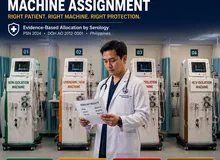
Figure 6. Machines are assigned to patient groups by hepatitis status. Know a machine’s assignment before you move or service it, and return it to the same area.
Figure 7 · Before you open a machine
Confirm statusNo patient is connected, the nurse knows, and the machine is tagged out of service.
DecontaminateRun the disinfection program and wipe the outside surfaces.
IsolateSwitch off, unplug, close the water supply, and lock out.
ProtectWear gloves and eye protection, and keep your hands and the floor dry.
Work by the manualUse the right model, the right revision, and the right tools.
One hazard is invisible and harms the machine, not you. A static spark from your body can destroy a circuit board without leaving any mark. Wear a grounded wrist strap and keep boards in antistatic bags whenever you handle them.
Lesson · part 3
Decontaminating a machine before service
Think of a machine coming off the treatment floor the way you would think of a cutting board after raw chicken. It may look clean, but it has had blood near it for hours. Treat it as contaminated inside and out until you have dealt with both.
The picture has a limit. You can see and scrub every side of a cutting board. A dialysis machine hides blood in places you cannot see from the outside, and some of those places are inside the cabinet. That is why decontamination follows a set order, not a quick wipe.
Figure 8 · Before the cabinet is opened
Fluid pathRun the machine’s own disinfection program to completion.
OutsideWipe every external surface with the approved disinfectant, and observe its contact time.
Blood side partsInspect the pressure ports, the blood pump housing, and the venous clamp area for dried blood.
Transducer protectorsIf blood or fluid has passed one, clean or replace the internal line and filter by the manual.
YourselfGloves and eye protection on; cuts covered.
AfterwardRemove gloves, clean your hands, and clean your tools.
Where blood hides
What to do
Behind the blood pump rotor
Remove the rotor by the manual and clean the housing
Inside pressure sensor ports
Follow the manual’s internal decontamination; replace the internal protectors
Venous clamp and air detector slot
Clean with an approved agent that will not damage the sensor
Drip tray and base
Clean and disinfect; look for the source of any leak
Casters and rear panel
Often missed in routine wiping; clean them before the machine comes into the workshop
RememberIf you find blood inside a machine, tell the charge nurse. It means a protector failed or was wetted in use, and operators need to know.
Protect yourself as well. Hepatitis B vaccination and a known antibody response are standard for anyone who handles dialysis equipment; ask your facility’s occupational health contact about yours. Report a needlestick or a splash to the eye the same hour, and have it assessed, exactly as clinical staff do.
Lesson · part 4
Taking a machine out and bringing it back
In a busy unit, most equipment errors are really communication errors. A faulty machine is wheeled back to the floor because nobody knew it was faulty. A repaired machine is used before its tests are finished. The fault was never hidden on purpose. The status simply did not travel from one person to the next.
Figure 9. The life of a fault. Six steps from a fault report to formal release.
Tags and handovers fix this. They make the machine’s status visible to anyone who walks past, without depending on anyone’s memory.
Figure 10 · The life of a fault
ReportedThe operator records the exact message and what was happening at the time.
TaggedA visible out-of-service tag goes on, with the date, the reason, and a name.
Diagnosed and repairedAn authorized technician does the work, by the manual.
TestedFunction, alarm, calibration, and safety tests, as the manual requires after that repair.
DisinfectedBefore the machine returns to the floor.
ReleasedThe service record is completed, the technician removes the tag, and the charge nurse accepts the machine.
Stop and reportA machine that passes its self-test after an unexplained fault is not cleared. Self-tests check that alarms work. They do not find the cause of this morning’s problem.
Lesson · part 5
Using the service manual
A service manual is written for one model, and often for one software version. A manual that is almost right is a common source of wrong adjustments, because its numbers look reasonable and nothing warns you that they belong to a different machine.
Figure 11 · Parts of a service manual you will use most
Flow diagramEvery component of the fluid path in order, with reference numbers.
Maintenance scheduleWhat is replaced and checked at each interval.
Calibration proceduresStep by step, with tolerances.
Fault tablesAlarm codes, with likely causes and checks.
Service modeHow to reach the technician’s screens for tests and calibration.
Parts listPart numbers and exploded drawings.
Test proceduresWhat must be tested after each kind of repair.
Before you start, confirm
Why
Model and serial number on the machine’s rating plate
Models that look alike can differ inside
Software version shown at start-up or in service mode
Procedures and limits change between versions
Manual revision and date
Manufacturers issue updates and corrections
Any safety notice or service bulletin for this model
It may change a procedure or require a part
Your own training status for this model
Authorization is per model, not per brand
Service mode opens settings that can change how the machine treats patients. Leave nothing altered that the procedure did not tell you to alter, and exit service mode fully before you release the machine.
Lesson · part 6
Why your records matter
A service record is the only evidence that a machine was safe on a given day. Regulators inspect it, clinicians rely on it, and the next technician starts from it.3,4 Write what you found and what you did. Write which parts and which test instruments you used, what you measured before and after the work, and who accepted the machine back. If it is not written down, it did not happen.
On the floor
Real situations: problems and solutions
These are fictional but typical. For each one, cover the answer, decide what you would do, then compare. Where a step depends on local rules, your unit’s procedure and your supervisor’s direction come first.
“Can you fix it while she is still on?”
What you see
At ten in the morning, a nurse waves you over to station 6. The machine is alarming, a patient is connected, and the nurse asks you to open the side panel and look.
What is likely going on
Opening or adjusting a machine that is in use puts the patient at risk. No service procedure covers it.
What to do
Decline, kindly and clearly. The clinical team manages the patient and, if needed, moves her to another machine. You take the faulty machine once it is free and disinfected.
Why it matters
Service happens only on machines that are out of clinical use. The patient is safest when each person stays in their own role.
A part from another brand
What you see
On a Saturday, the correct valve for a machine is out of stock. A spare valve from a different machine model looks the same and fits the fitting.
What is likely going on
A part that fits is not the same as a part that is equivalent. Its materials, flow, and response time may all differ.
What to do
Do not install it. Keep the machine out of service and order the approved part.
Why it matters
An unapproved part can quietly defeat a protective system, and it voids the machine’s safety approval.
Blood inside the cabinet
What you see
You open a machine in the workshop and find a ring of dried, brown blood around a pressure sensor port.
What is likely going on
At some point, blood got past a transducer protector. The inside of the machine is contaminated.
What to do
Stop and put on protection. Decontaminate by the manual’s method, and replace the internal filters or parts it specifies. Then report it, so that operators can be reminded about protectors.
Why it matters
Contamination inside a machine can pass infection to later patients.
The tag disappeared
What you see
Yesterday afternoon you tagged out the machine at station 2. This morning it is back on the floor, a patient is connected, and the tag is gone.
What is likely going on
Someone removed the tag, or assumed the fault had been fixed.
What to do
Tell the charge nurse at once. The clinical team decides about the current treatment. Afterward, report the event and review how tags are controlled.
Why it matters
A tag system works only if nobody but the technician removes the tag.
Field notes
Disinfect, isolate, protect, then open. Always in that order.
Keep the right manual revision for each model within reach of the workbench.
Tell the charge nurse in person when a machine goes out of service and when it comes back.
If it is not written down, it did not happen.
Case review
Back to the case: A quick look between shifts
What risks did the technician take? Four, in five minutes. He worked on a live, wet machine without isolating it from power and water. He handled the inside of a machine in clinical use without confirming that it had been disinfected. He made a repair without the manual. He left no record. Any one of these could injure him, or leave the next technician without a history to work from.
Does a passed self-test answer the nurse’s question? No. The loose connector may well have been the cause, but nobody yet knows whether conductivity is now measured correctly. The self-test shows that the alarms respond. It does not show that the reading behind them is true.
What should happen before the machine is used again? Tag it out of service. Disinfect it, isolate it, and inspect it properly. Verify conductivity against a reference meter as the manual states. Run the required alarm tests. Write the service record, and release the machine formally to the charge nurse. In the meantime, the next patient uses another machine that has passed its own checks. Tell Ms. Domingo exactly that, so that she can plan the station.
Skills lab · with your preceptor
Skills checklist: Safe preparation for service and formal release
Materials: an out-of-clinical-use machine, the service manual, tags, a lockout device, protective equipment, and blank service and release forms. Your preceptor rates each step as satisfactory, needs practice, or not observed. Steps marked Critical must all be satisfactory before sign-off. This checklist supports supervised learning; your unit’s own procedure and competency form are the authority. A printable version of every checklist is on the trainer page.
Confirms with the charge nurse that the machine is free and records its identity and assigned area.
CriticalApplies a visible out-of-service tag with date, reason, and name.
CriticalConfirms the machine has completed disinfection before opening it.
CriticalSwitches off, unplugs, closes the water supply, and applies lockout.
Wears gloves and eye protection and uses static protection when handling boards.
Locates the correct service manual and revision for the model.
CriticalStates which tests are required after the simulated repair, by the manual.
CriticalCompletes the service record and obtains acceptance from the charge nurse before removing the tag.
Placement activity. Follow one real fault from report to release with a senior technician, and list every person who needed to know the machine’s status.
Self-assessment
Check your understanding
Each visit draws 5 questions at random from this module’s 10-question bank. Choose the single best answer for each, then select Check answers; an explanation appears under the best answer. Select New set of questions for a different mix. A good target is 4 of 5 on two different sets. Nothing you select is sent anywhere; scoring happens in your browser.
International Electrotechnical Commission (IEC). (2020). Medical electrical equipment. Part 1: General requirements for basic safety and essential performance (IEC 60601-1, Edition 3.2).
International Electrotechnical Commission (IEC). (2018). Medical electrical equipment. Part 2-16: Particular requirements for basic safety and essential performance of haemodialysis, haemodiafiltration and haemofiltration equipment (IEC 60601-2-16:2018).
Educational study material for biomedical technicians. Does not replace the manufacturer’s service manual and training, approved facility procedures, applicable electrical and medical device regulations, or supervised practice.