After this module you should be able toPagkatapos ng modyul na ito, dapat kaya mong
- Build one health folder with a one-page summary on topGumawa ng iisang health folder na may isang-pahinang buod sa unahan
- Keep results in date order so trends are easy to seeAyusin ang mga resulta ayon sa petsa para madaling makita ang takbo nito
- Keep a private digital copy and a grab-and-go set for emergenciesMagtabi ng pribadong digital na kopya at ng grab-and-go set para sa emergency
Suggested earlier modules: C01, C12. You may read any module in any order; the suggestion only helps the lessons build on each other.Mga modyul na mainam basahin muna: C01, C12. Puwede mong basahin ang kahit anong modyul sa kahit anong pagkakasunod; tumutulong lang ang mungkahing ito para magkakabit ang mga aralin.
The everyday pictureAng larawan sa araw-araw
Build one health folderGumawa ng iisang health folder
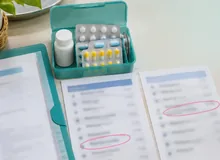
Choose one folder or envelope with dividers and keep everything in one place. A clear plastic expanding envelope works well, is easy to carry, and survives rain.
What goes in it
- A one-page summary on top: your name and birthday, your diagnoses, your kidney treatment and since when, allergies and what happened, your doctors and dialysis unit, and the person to call in an emergency.
- Your current medicine list (Module C04), with the date it was last updated.
- Laboratory results, oldest at the back and newest in front.
- Treatment details: your dialysis prescription summary or monthly report if your unit gives one, and your access details: the type, the side and the date of surgery.
- Hospital papers: discharge summaries, operation reports, imaging and biopsy results, and referral letters.
- Vaccination records, especially hepatitis B for anyone on dialysis.
- Benefits papers: Philippine Health Insurance Corporation (PhilHealth) and HMO (health maintenance organization) documents, letters of authorization (LOAs), official receipts and statements of account.
Pumili ng iisang folder o envelope na may mga divider at doon ilagay ang lahat. Mainam ang malinaw na plastic expanding envelope: madaling dalhin at hindi agad nababasa sa ulan.
Ano ang laman nito
- Isang-pahinang buod sa unahan: pangalan at kaarawan, mga diagnosis, ang kidney treatment mo at kailan ito nagsimula, mga allergy at ano ang nangyari, ang mga doktor at dialysis unit mo, at ang taong tatawagan sa emergency.
- Ang kasalukuyang listahan ng gamot mo (Modyul C04), kasama ang petsa ng huling update.
- Mga laboratory result, ang pinakaluma sa likod at ang pinakabago sa harap.
- Detalye ng treatment: ang buod ng dialysis prescription o buwanang report kung nagbibigay ang unit mo, at detalye ng access mo: anong klase, saang panig, at petsa ng operasyon.
- Mga papel mula sa ospital: discharge summary, operation report, resulta ng imaging at biopsy, at mga referral letter.
- Rekord ng bakuna, lalo na ang hepatitis B para sa sinumang nagda-dialysis.
- Mga papel para sa benepisyo: mga dokumento ng PhilHealth at HMO (health maintenance organization), letter of authorization (LOA), official receipt at statement of account.
Keep results in order so trends are easy to seeAyusin ang mga resulta para madaling makita ang takbo
One result is a snapshot; the story is in the trend (Module C02). A folder in date order lets you and your team see in seconds whether a result is new, getting better or getting worse.
- Write the date on every page that does not show one.
- Put the newest page in front within each divider.
- Keep a one-page results table: date, test, result and unit. Copy the same tests each time, such as creatinine and estimated glomerular filtration rate (eGFR), potassium, hemoglobin, phosphorus and albumin, or whichever tests your team follows.
- When you do not understand a result, write your question beside it and bring it to the visit instead of searching online in a panic.
- If you prefer your phone, use the results trend log in the toolkit; it keeps nothing after you close it unless you print it.
Ang isang resulta ay parang isang litrato lang; nasa takbo ng mga resulta ang buong kuwento (Modyul C02). Kapag nakaayos ayon sa petsa ang folder, makikita mo at ng iyong team sa ilang segundo kung bago ang resulta, gumaganda, o lumalala.
- Isulat ang petsa sa bawat pahinang walang petsa.
- Ilagay sa harap ng bawat divider ang pinakabagong pahina.
- Gumawa ng isang-pahinang table ng resulta: petsa, test, resulta at unit. Kopyahin ang parehong mga test tuwing may bago, gaya ng creatinine at eGFR, potassium, hemoglobin, phosphorus at albumin, o kung alin ang sinusubaybayan ng iyong team.
- Kapag may resultang hindi mo naiintindihan, isulat ang tanong mo sa tabi nito at dalhin sa konsulta, sa halip na mag-panic sa paghahanap online.
- Kung mas gusto mo sa phone, gamitin ang results trend log sa toolkit; walang naiiwang datos pagkasara mo maliban kung i-print mo.
A private digital copyIsang pribadong digital na kopya
Paper gets wet, lost or left at home. A photo of each page on your phone means you still have your history when the folder is not with you.
- Photograph each new page the day you get it, flat and in good light, and keep the photos in one album named, for example, "Health records."
- Name files with the date first, such as "2026-11-29 laboratory results," so they sort themselves in order.
- Download results that laboratories send by email or through a portal, and save them in the same place.
- Keep a backup: a cloud folder protected by a strong password, or a USB drive kept safely at home.
Keep it private
- Lock your phone with a PIN, pattern or fingerprint.
- Do not post results, prescriptions or photos of your access in public groups or on social media to ask for advice. Ask your own team.
- Share with your care partner only what you choose (Module A01).
- Delete copies from shared phones and computers after use.
Nababasa, nawawala o naiiwan sa bahay ang papel. Kapag may litrato ka ng bawat pahina sa phone, dala mo pa rin ang kasaysayan mo kahit wala ang folder.
- Kunan ng litrato ang bawat bagong pahina sa araw na matanggap mo ito, nakalapag at maliwanag, at ilagay ang lahat sa iisang album na pinangalanang, halimbawa, "Health records."
- Pangalanan ang mga file na nauuna ang petsa, gaya ng "2026-11-29 laboratory results," para kusang maayos ayon sa pagkakasunod.
- I-download ang mga resultang ipinapadala ng laboratoryo sa email o portal, at i-save sa parehong lugar.
- Magtabi ng backup: isang cloud folder na may matibay na password, o USB drive na nakatago nang maayos sa bahay.
Panatilihing pribado
- I-lock ang phone mo gamit ang PIN, pattern o fingerprint.
- Huwag i-post ang mga resulta, reseta o litrato ng access mo sa mga public group o social media para humingi ng payo. Sa sarili mong team magtanong.
- Ibahagi sa iyong care partner lamang ang pinili mong ibahagi (Modyul A01).
- Burahin ang mga kopya sa mga phone at computer na ginagamit ng iba pagkatapos gamitin.
Grab-and-go: emergencies and new doctorsGrab-and-go: para sa emergency at bagong doktor
In an emergency nobody has time to search a drawer. Keep a small grab-and-go set in an envelope by the door or in your dialysis bag: the one-page summary, the medicine list, your latest results, your access details and the urgent help card (W07).
Put your key facts on your phone's emergency screen
- iPhone: open the Health app, tap your picture, then Medical ID and Edit. Add your conditions, medicines, allergies and emergency contacts, and turn on Show When Locked.
- Android: open Settings and look for Safety and emergency or Emergency information (the name differs by brand). Add your medical information and emergency contacts.
- Check that a family member knows the information can be seen from the locked screen.
- At every new doctor, dentist or laboratory, say first: "I have kidney disease and I am on [your treatment]."
- If you have a fistula or graft, tell emergency staff which arm it is so they do not take blood pressure or put a drip there.
Sa emergency, walang oras para maghalughog ng drawer. Magtabi ng maliit na grab-and-go set sa isang envelope malapit sa pinto o sa dialysis bag mo: ang isang-pahinang buod, ang listahan ng gamot, ang pinakabagong resulta, detalye ng access mo, at ang urgent help card (W07).
Ilagay ang mahahalagang impormasyon sa emergency screen ng phone
- iPhone: buksan ang Health app, i-tap ang litrato mo, saka Medical ID at Edit. Ilagay ang mga kondisyon, gamot, allergy at emergency contact mo, at i-on ang Show When Locked.
- Android: buksan ang Settings at hanapin ang Safety and emergency o Emergency information (iba-iba ang pangalan depende sa brand). Ilagay ang medical information at mga emergency contact mo.
- Siguraduhing alam ng isang kapamilya na makikita ang impormasyong ito kahit naka-lock ang phone.
- Sa bawat bagong doktor, dentista o laboratoryo, sabihin agad: "May sakit ako sa bato at ako ay [ang treatment mo]."
- Kung may fistula o graft ka, sabihin sa emergency staff kung saang braso ito para hindi doon kunan ng blood pressure o lagyan ng swero.
The midnight emergency roomAng emergency room sa hatinggabi
Aling Pacing, 58, has been on hemodialysis for three years. One night she has a high fever and her son Migo rushes her to the nearest hospital. He brings her bag but no papers. The emergency doctor asks about her medicines, her allergies and her last potassium result; Migo is not sure. A nurse is about to put a drip in her left arm, the arm with her fistula.
Si Aling Pacing, 58, ay tatlong taon nang nagha-hemodialysis. Isang gabi, nilagnat siya nang mataas at isinugod siya ng anak niyang si Migo sa pinakamalapit na ospital. Dala ni Migo ang bag niya pero walang kahit anong papel. Tinanong ng doktor sa emergency ang mga gamot niya, ang allergy niya, at ang huling resulta ng potassium niya; hindi sigurado si Migo. Muntik nang lagyan ng nurse ng swero ang kaliwang braso niya, kung nasaan ang fistula.
Before reading on: what would you do, and whom would you call?Bago magpatuloy: ano ang gagawin mo, at sino ang tatawagan mo?
How sure are we?Gaano tayo kasigurado? Limited evidenceLimitadong ebidensya
Programs that help people manage their own kidney care, including tracking their results and plans, improved blood pressure and urine protein in people not yet on dialysis, although they did not prove an effect on kidney failure or survival. Evidence for a health folder on its own is limited, but keeping your records organized is standard advice from kidney patient education services, and the Data Privacy Act gives you the right to access your own health information.Ang mga programang tumutulong sa tao na pamahalaan ang sarili niyang kidney care, kasama ang pagsubaybay sa mga resulta at plano, ay nagpabuti ng blood pressure at protina sa ihi ng mga hindi pa nagda-dialysis, bagaman hindi pa napatunayang may epekto ito sa kidney failure o sa haba ng buhay. Limitado ang ebidensya para sa health folder mismo, pero karaniwang payo ito ng mga serbisyong nagtuturo sa mga pasyente sa bato, at binibigyan ka ng Data Privacy Act ng karapatang makita ang sarili mong impormasyong pangkalusugan.1,2,3
Questions to ask your teamMga tanong para sa iyong care team
- Can I have a copy of my results and my dialysis summary each month?Puwede ba akong makakuha ng kopya ng mga resulta ko at ng dialysis summary ko buwan-buwan?
- Which results should I track, and how often are they checked?Aling mga resulta ang dapat kong subaybayan, at gaano kadalas sinusuri ang mga ito?
- Is there anything you want written on my emergency summary sheet?May gusto ba kayong isulat sa emergency summary sheet ko?
Try it, then say it in your own wordsSubukan, saka ipaliwanag sa sarili mong salita
Practice. Use W24 to draft a one-page health summary with invented details, then list the dividers your own folder needs. Worksheet W24: My health folder and one-page summary is ready to print. Use invented details when practicing; keep your real health information on paper, not online.
Pagsasanay. Gamitin ang W24 para gumawa ng isang-pahinang health summary gamit ang gawa-gawang detalye, saka ilista ang mga divider na kailangan ng sarili mong folder. Handa nang i-print ang worksheet na W24: My health folder and one-page summary (nasa Ingles). Gumamit ng gawa-gawang detalye habang nagsasanay; itago sa papel, hindi online, ang totoong impormasyon tungkol sa iyong kalusugan.
Three quick questionsTatlong mabilis na tanong
Choose the best answer for each, then select Check answers. An explanation appears under the best answer. Try again as often as you like. Nothing you select is sent anywhere.
Piliin ang pinakamahusay na sagot sa bawat tanong, saka pindutin ang Check answers. Lalabas ang paliwanag sa ilalim ng pinakamahusay na sagot. Puwede kang umulit kahit ilang beses. Walang ipinapadala kahit saan ang mga pinili mo.
Read next on this siteBasahin din sa site na ito (nasa Ingles)
- Personal Medical Journal & Health HistoryA personal health journal for visits and emergencies.Isang personal na health journal para sa mga konsulta at emergency.
- Preparing for Your First Nephrologist VisitWhat to bring to a kidney visit.Ano ang dadalhin sa konsulta sa doktor sa bato.
Choose your own path on the course home. Last checked November 29, 2026.
Piliin ang sarili mong landas sa course home. Huling sinuri noong Nobyembre 29, 2026.
Module 33 of 407 modules to go